Peer-to-Peer Email Notifications
Peer-to-Peer offers a wide variety of emails that can be sent to donors and specified site admins for various purposes. The Emails tab of the settings page is the central hub for managing each type of email sent through the Peer-to-Peer add-on. You can use these emails and settings to customize which notifications are needed for your Peer-to-Peer Campaigns.
P2P Fundraiser Emails
Peer-to-Peer Fundraiser emails can be found by navigating to GiveWP > Settings > Emails, and clicking the tab labeled P2P Fundraiser Emails. In this section you will find a number of notification emails intended to communicate information to Team Captains, Team Fundraisers and Individual Fundraisers. Each email can be configured to include custom email tags and brand-specific language.
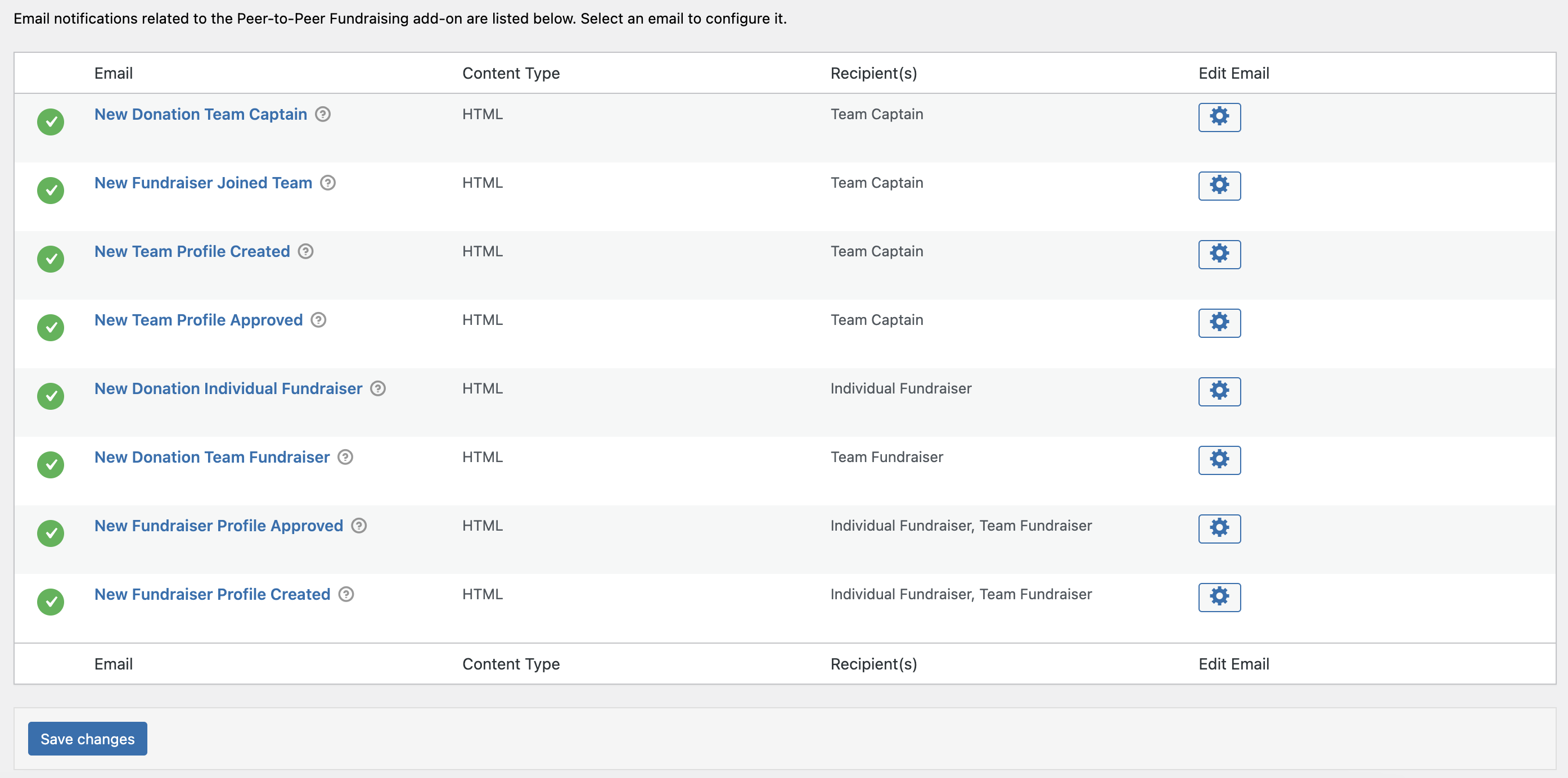
- New Donation Team Captain – notifies the Team Captain of a new donation
- New Fundraiser Joined Team – notifies the Team Captain when a new fundraiser joins the team
- New Team Profile Created – notifies the Team Captain when a new profile is created
- New Team Profile Approved – notifies the Team Captain when a new profile is approved
- New Donation Individual Fundraiser – notifies an individual fundraiser when a new donation is completed
- New Donation Team Fundraiser – notifies a Team when a new donation is completed
- New Fundraiser Profile Approved – notifies individual fundraisers or teams when a new profile has been approved
- New Fundraiser Profile Created – notifies an individual or team when when a new profile is created
P2P Admin Emails
Peer-to-Peer Admin emails can be found by navigating to GiveWP > Settings > Emails, and clicking the tab labeled P2P Admin Emails. In this section, you will find notification emails intended to communicate information to website admins. Unlike the Fundraiser emails which are sent to captains and fundraisers, these emails address fundraiser management tasks that need approvals. Each email can be configured to include custom email tags and brand specific language.
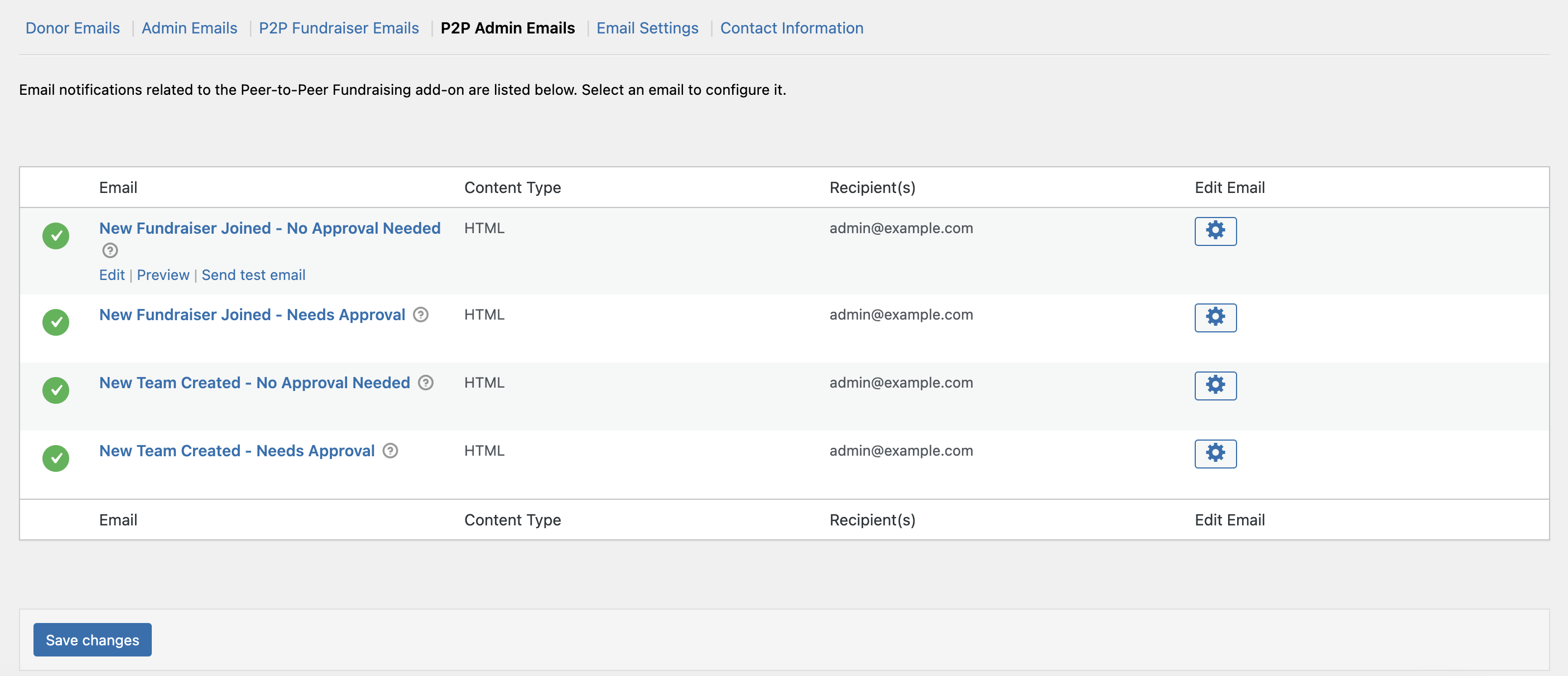
- New Fundraiser Joined – No Approval Needed
This notification indicates a new fundraiser has joined, and does not need approval. - New Fundraiser Joined – Needs Approval
This email notification alerts an admin that a new fundraiser has joined and will require approval. - New Team Created – No Approval Needed
This notification indicates a new team has been created, and does not need approval. - New Team Created – Needs Approval
This email notification alerts an admin that a new team has been created, and needs approval.