The Visual Donation Form Builder is Now the Default Editor
We’ve made the Visual Donation Form Builder the default editor as part of our ongoing efforts to enhance user experience.

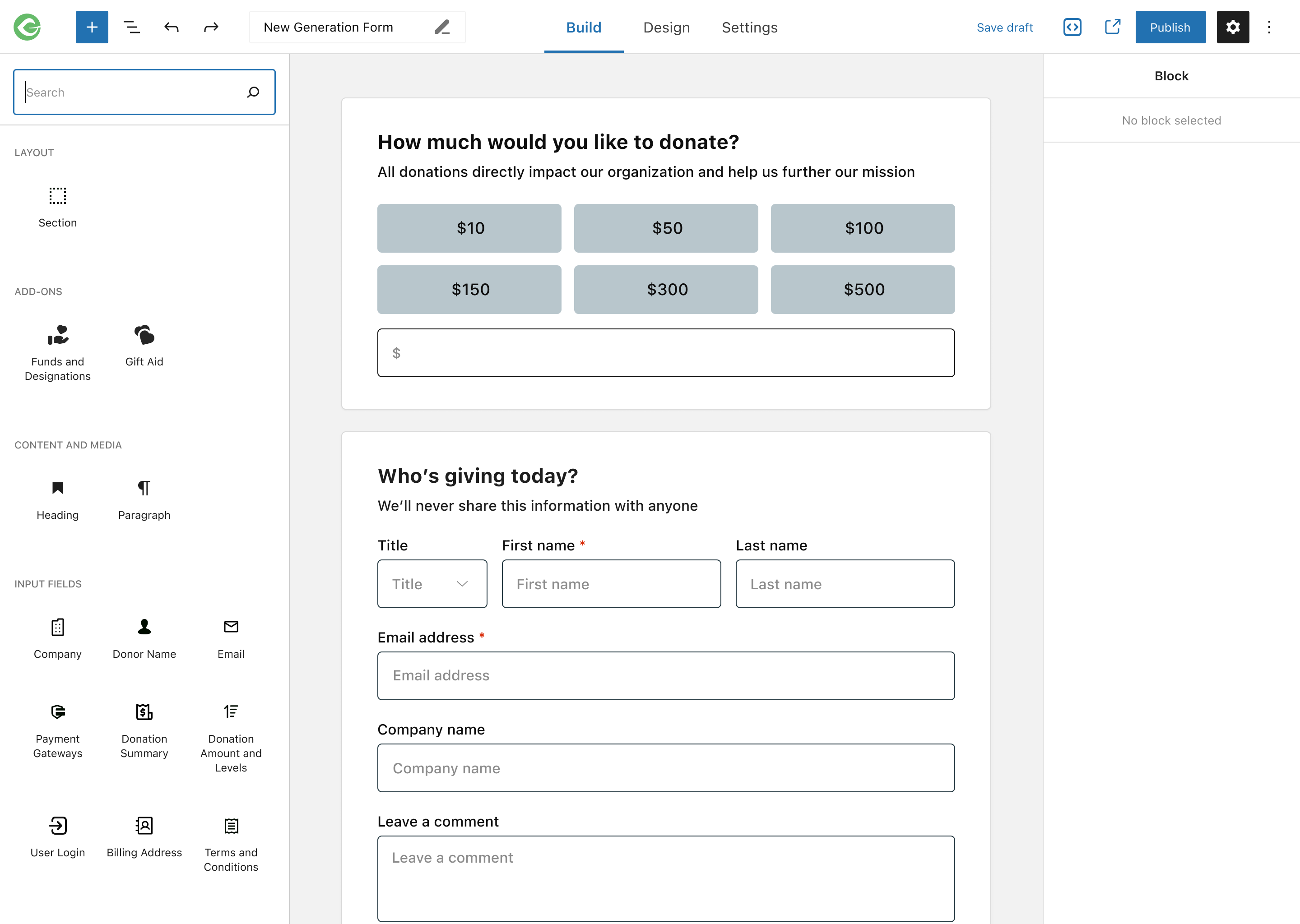
We’re excited to announce that the Visual Donation Form Builder is now the default editor for creating donation forms in GiveWP! As part of our ongoing efforts to enhance user experience and streamline the form creation process, we’ve updated our onboarding and form creation flows to utilize the VDFB by default.
What Does This Mean for You?
- New Forms: All new donation forms created through GiveWP will now use the Visual Donation Form Builder, offering an intuitive and streamlined experience from the start. This ensures you can access the latest features and design capabilities right out of the box.
- Existing Forms: If you’ve already created forms using the Option-Based Editor, don’t worry! Your forms will continue to use the editor they were created with, and you can continue editing them without disruption. We are not auto-migrating forms yet, giving you ample time to transition at your own pace.
- Flexibility: While the Visual Donation Form Builder is now the default, the Option-Based Editor remains available. This allows you to adapt gradually, familiarize yourself with VDFB, and decide when to migrate your existing forms.
Why the Change?
We’re making the Visual Donation Form Builder the default because it reduces confusion for new users and ensures everyone can take full advantage of the latest features GiveWP offers. Most of our newly developed and upcoming features are designed with VDFB in mind, making it the best choice for creating and managing donation forms.
Key Features and Improvements
- Wide Compatibility: Most add-ons, including must-use and high-value add-ons, are compatible with the Visual Donation Form Builder. We’re continually working to improve compatibility for all add-ons.
- Seamless Onboarding: Our updated onboarding steps now create a form using the Visual Donation Form Builder, making it easier than ever to get started.
- Enhanced Form Creation: The “Add Form” buttons and links across GiveWP will now direct you to create forms with the Visual Donation Form Builder by default.
- Continued Support for the Option-Based Editor: If you prefer the Option-Based Editor, you can still create new forms via alternate paths, ensuring flexibility as you transition.

This update is part of our commitment to providing the best tools and user experience possible. We believe that the Visual Donation Form Builder empowers you to create more effective and engaging donation forms, helping you achieve your fundraising goals more easily.
Thank you for being part of the GiveWP community. We’re here to support you as you explore the Visual Donation Form Builder and all it offers.
About the Author
Camber Clemence
Camber is a Senior Product Marketing Manager for GiveWP. In her role, she focuses on positioning GiveWP’s products to meet the evolving needs of nonprofit fundraisers. Outside of work, Camber runs her own charitable organization and volunteers with a homelessness coalition. She also enjoys long walks with her dog, kayaking, traveling, and taking trips ’round the world at Epcot.