Version 1.4 Released
We released version 1.4 today. This point release has some great new features as well as important improvements. I want to specifically highlight: New Email Access to view donation receipts for non-logged in users Goal Formatting options Featured Image Size options Donation Receipts by Email There’s been an on-going bit of frustration with non-logged in donors…

We released version 1.4 today. This point release has some great new features as well as important improvements. I want to specifically highlight:
- New Email Access to view donation receipts for non-logged in users
- Goal Formatting options
- Featured Image Size options
Donation Receipts by Email
There’s been an on-going bit of frustration with non-logged in donors and their ability to see their receipts on your site. There’s a lot of factors that go into making sure a visitor who has donated but is not logged into your site sees sensitive donation information and other don’t. We’ve addressed this in several different ways in this release.
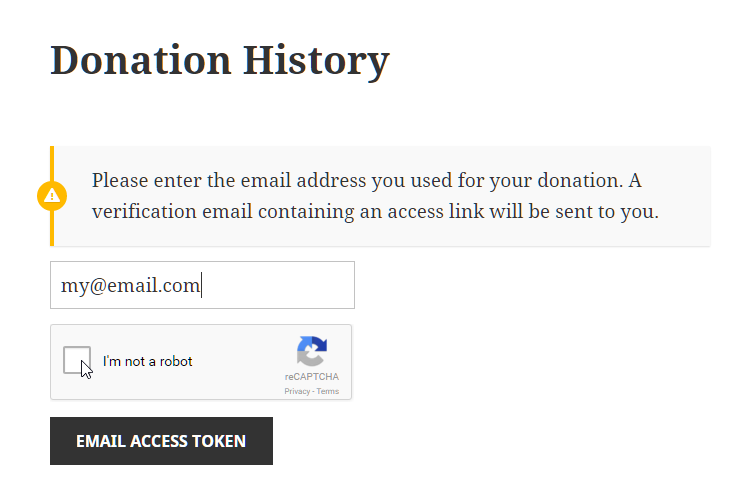
One new and exciting way is with the “Email Access” feature. Basically, instead of showing the donation details based on a cookie in the visitors browser (which means caching is a problem, viewing from your phone is impossible, etc.), donors can request access with their email address. They get sent a unique URL which will show them their donation details for a certain window of time. This will greatly improve the reliability of the donation history page for your Guest donors.
For more enhanced security of this form we also added the Re-Captcha option as well.
Goal Formatting
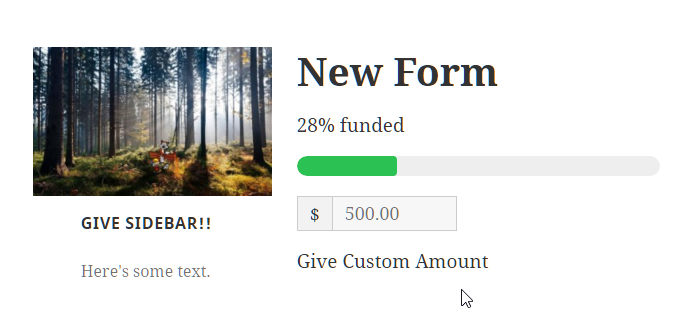
Since we released the Goals feature mid-last year, we’ve gotten a lot of positive feedback. There’s definitely more we can (and plan to) do with goals. Our first step in enhancing our progress bar for goals is to give you the option to display the progress in either amount raised, or percentage towards the goal.
Featured Image Size Options
Sometimes your theme might use really large image sizes as it’s featured image. This caused issues with our Give featured image with some themes because it would stretch which resulted in a blurry image. We resolved this with two things:
- We don’t create our own custom image size anymore
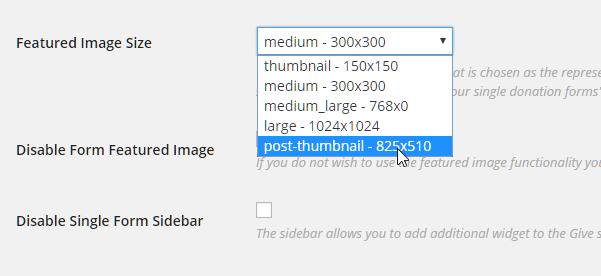
- We give you an option to use any registered image size for your single Give forms
We think this will improve reliability of the featured image for everyone and give those certain themes the flexibility they need to show really large images as well.

The Whole Changelog
- = 1.4 =
- New: Donors now have the ability to view their donation history using only the email they donated with via the new “Email Access” functionality that can be enabled under Settings > Advanced – https://github.com/WordImpress/Give/pull/496
- New: Unit tests added for Give_Donate_Form class – thanks @cklosowski – https://github.com/WordImpress/Give/pull/517
- New: Added new “Goal Format” option which will allow totals to be output based on a percentage rather than amount; also added more filters for better control over goal output – https://github.com/WordImpress/Give/issues/387
- New: Added links to plugin settings page and documentation on the WordPress plugin listing page – https://github.com/WordImpress/Give/issues/531
- New: Featured image size option for single donation forms found under Settings > Display Options – https://github.com/WordImpress/Give/issues/535
- Tweak: Sessions are only created when a donor performs an action. This will help Varnish caching on some Managed WordPress hosts and increase performance of the plugin – https://github.com/WordImpress/Give/issues/521
- Tweak: Removed usage of the image size “give_form_thumbnail” in favor of “give_form_single” – https://github.com/WordImpress/Give/issues/412
- Tweak: Increased modal windows z-index value – https://github.com/WordImpress/Give/issues/524
- Tweak: Added additional checks to the “System Info” settings tab – https://github.com/WordImpress/Give/issues/506
- Tweak: Removed Give’s custom thumbnail size in favor for using WordPress’ large media size to prevent image quality issues and excess image creation – https://github.com/WordImpress/Give/issues/535
- Tweak: Use $_SERVER[‘HTTP_HOST’] rather than $_SERVER[‘SERVER_NAME’] in give_get_current_page_url() – https://github.com/WordImpress/Give/issues/530
- Fix: Email compatibility with Mandrill WP plugin – https://github.com/WordImpress/Give/issues/548
- Fix: Add trailing slash to home_url() to prevent homepage redirect – https://github.com/WordImpress/Give/issues/545
- Fix: Problem give_format_amount_decimals return always 2 decimals – https://github.com/WordImpress/Give/issues/467
- Fix: “Custom Amount Text” should not show if the field is left blank for set donation forms – https://github.com/WordImpress/Give/issues/522
- Fix: Theme compatibility with Zerif and Customizr for single give donation forms – https://github.com/WordImpress/Give/issues/537
- Fix: Allow for $0 set donations to be saved properly – https://github.com/WordImpress/Give/issues/529
- Fix: Transactions with a “cancelled” status are not shown in the wp-admin Transactions table – thanks @pryley – https://github.com/WordImpress/Give/issues/514
- Fix: Alternative to fopen provided for PDF exports – https://github.com/WordImpress/Give/issues/511
About the Author
Matt Cromwell
Matt is co-Founder of GiveWP and now Senior Director of Customer Experience at StellarWP. He’s passionate about helping WordPress product owners level up their marketing and monetization strategies. He’s the founder and a co-host of WP Product Talk and Glam that Plugin. Matt was born and raised in California, but lives now with his wife and four children in Germany.