Single Form Sidebar
Note: GiveWP was designed to be the best fundraising tool available, and because of that, it’s constantly evolving. After careful consideration, this feature has been deprecated and replaced for newer versions of GiveWP that include the Visual Form Builder.
If this feature is currently in use, it will require sticking with older versions of GiveWP — which is not recommended. Instead, users are encouraged to explore the new features and templates currently compatible with the latest versions and take advantage of the ongoing improvements to fundraising features.
The GiveWP sidebar can be customized to show important and relevant information on all your form pages automatically. It can include your featured image, a donor wall, or other relevant information for your organization. The sidebar will appear on all your forms and cannot be customized on a per-form basis with GiveWP alone.
Enable the Single Form Sidebar
Go to GiveWP > Settings > Default Options > Post Types, to enable or disable the Single Form Sidebar. Enabling it will add the GiveWP sidebar to your individual GiveWP form pages.
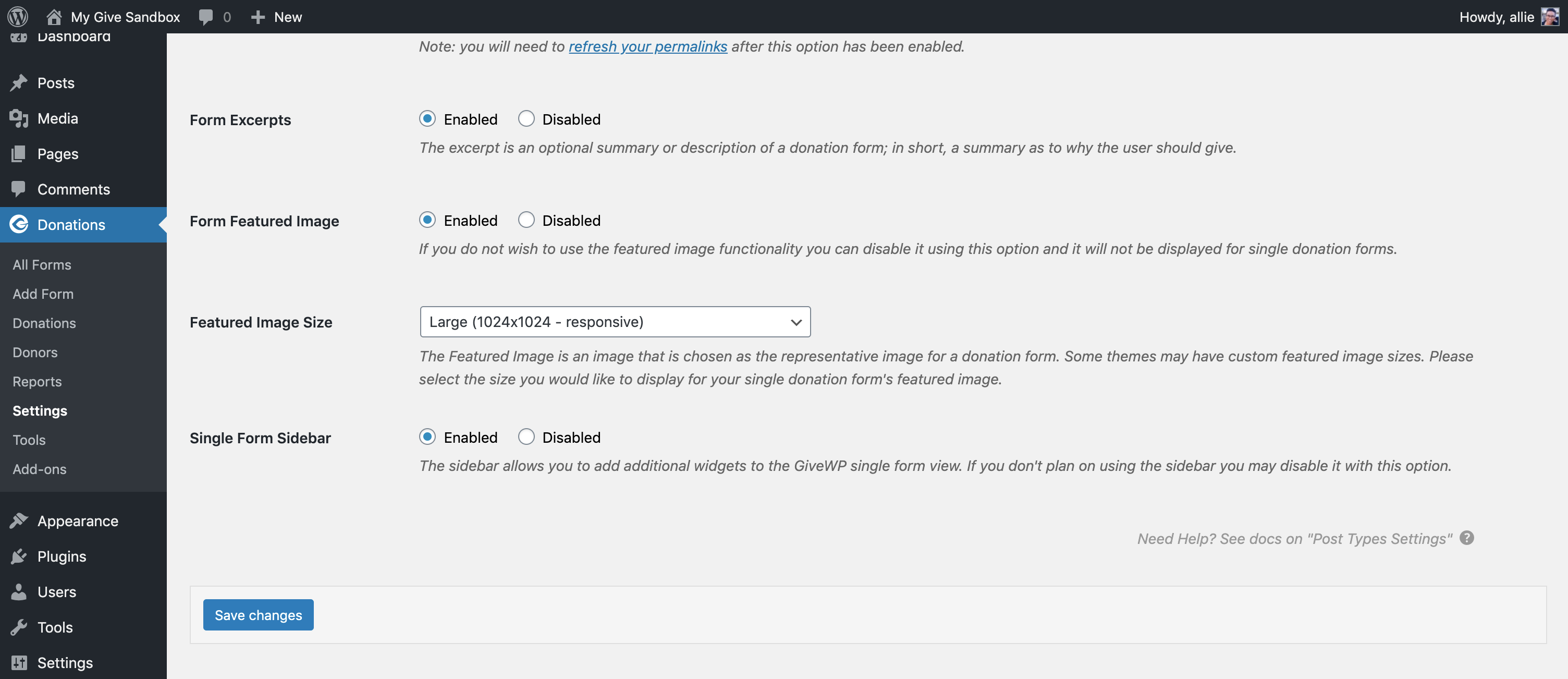
All donation forms have a single view option which creates a dedicated URL on your website for that form. This is handy because you don’t need to create a style a new page each time you want to launch a new campaign. If you embed your form onto another page using the shortcode instead, the Single Form Sidebar will not be included in that view.
Customize the Single Form Sidebar
To add sections to your Single Form Sidebar, go to Appearances > Widgets. You will find a widget area for the GiveWP Single Form Sidebar. Under the area, you can add as many widgets as you’d like.
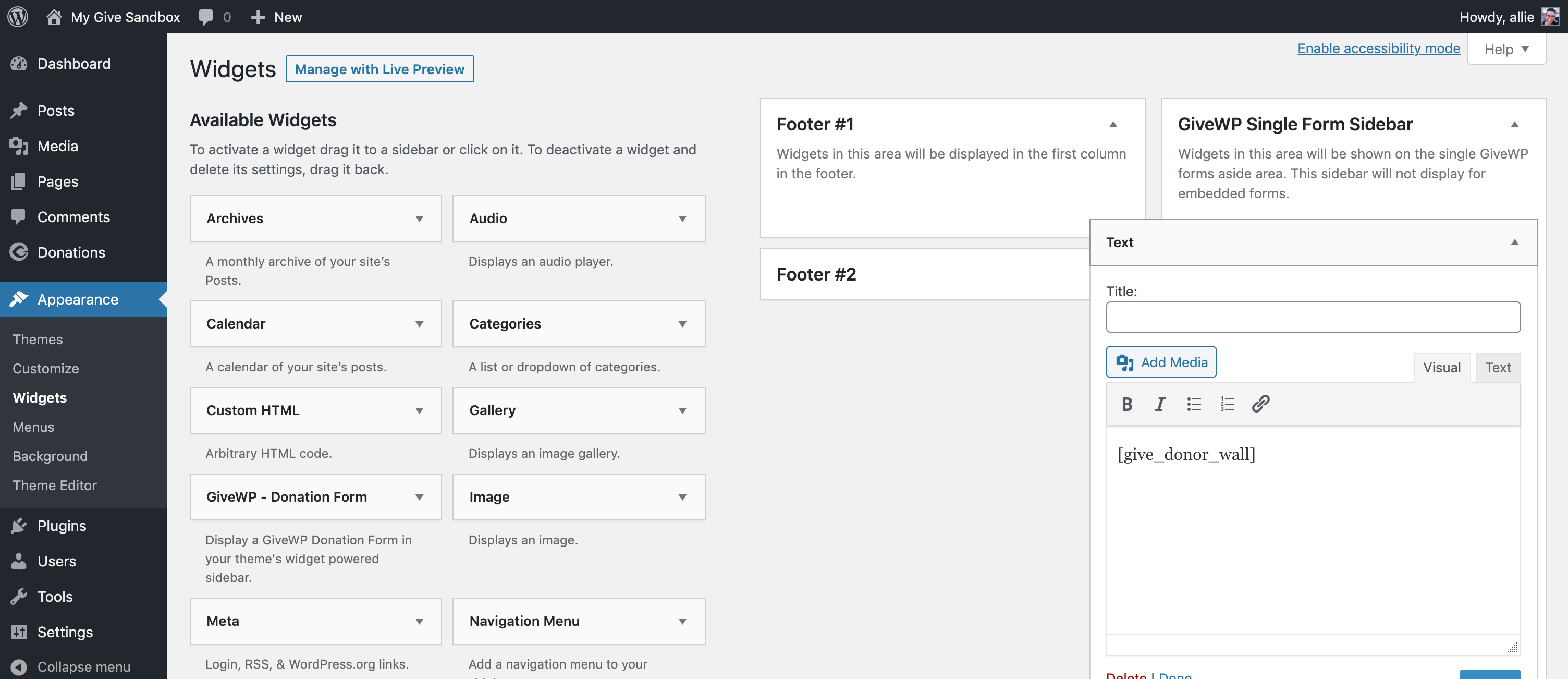
Any widgets that are available on the Widgets settings page can be added to the GiveWP Single Form Widget area. For example, add the donor wall shortcode to a text widget to display your most recently made donations. Or add a form grid to show donors what other campaigns they can donate to.
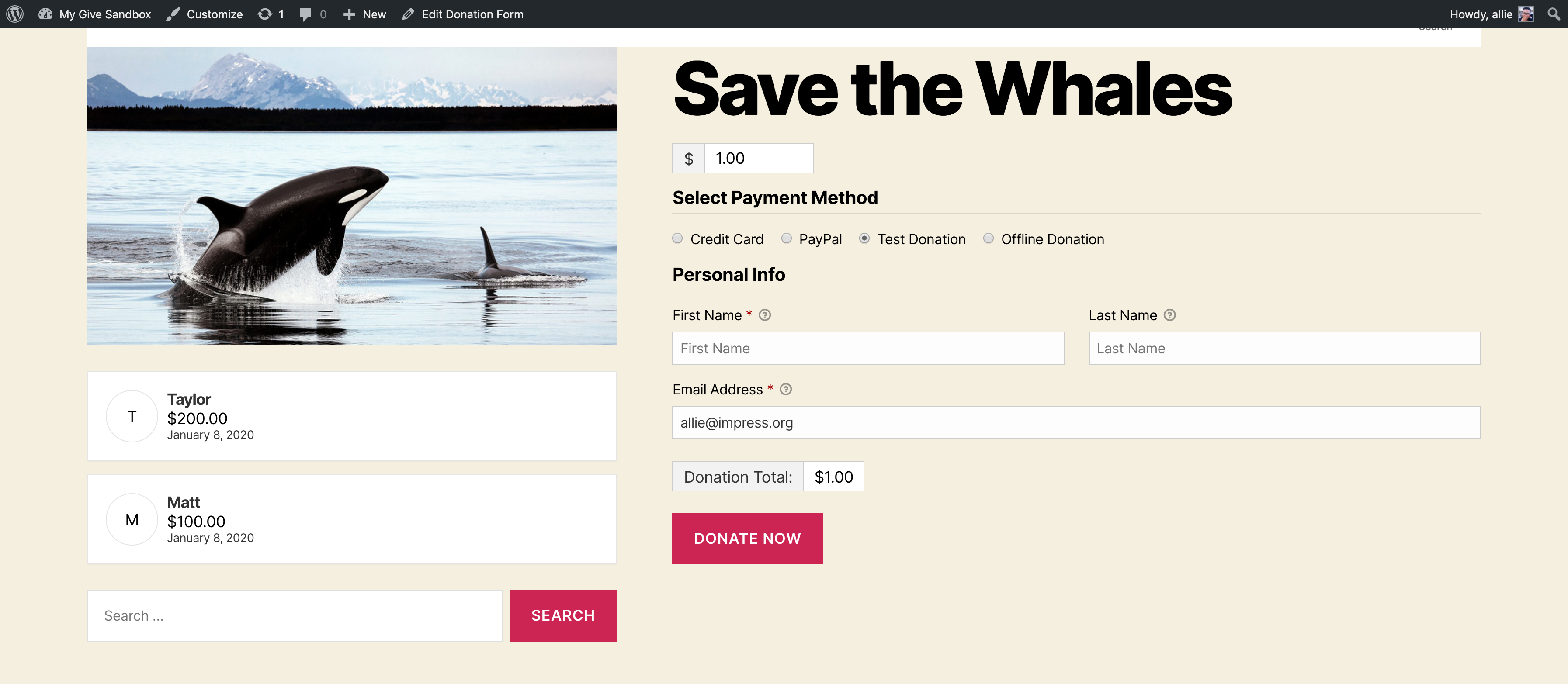
Add the Single Form Sidebar to a Specific Form
Using the sidebar widget to add a single form sidebar will add the same content to every single one of the GiveWP forms that appear on your website.
However, we don’t always want forms to be identical. Sometimes there is specific information or data we want to show beside specific forms. To add text or other content to a specific GiveWP form, use the free plugin “Widget Logic” which can be found and downloaded in the WordPress repository.