Campaigns: A New Way to Manage Your Fundraising Efforts
Introducing Campaigns in GiveWP: Easily organize, track, and manage fundraising efforts with customizable landing pages and enhanced visibility controls.
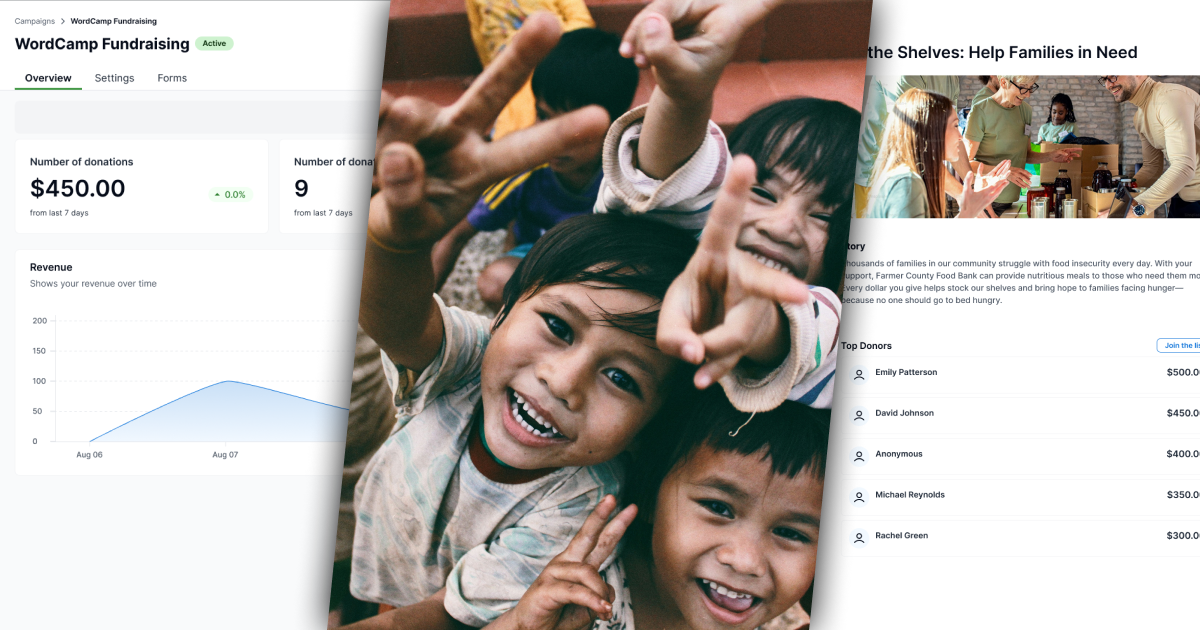
We’re excited to announce the launch of Campaigns for GiveWP, a powerful new feature that allows you to organize and manage your fundraising efforts easily. Whether running a large-scale initiative or multiple smaller projects, Campaigns brings a whole new level of organization, tracking, and engagement – directly within your GiveWP dashboard. It’s now easier than ever to organize your donation forms and create powerful campaign pages that enhance donor engagement.
What Are Campaigns?
At GiveWP, we are constantly focused on improving your fundraising experience. The introduction of Campaigns marks a major shift in how you organize and manage your efforts.
The introduction of Campaigns simplifies the GiveWP experience, making it easier to manage your fundraising efforts, track progress, and organize multiple donation forms. This new feature is part of the core GiveWP experience, and here’s why that’s important:
- Streamlined Workflow: Campaigns replace the previous “Forms” experience, allowing you to manage everything related to a specific fundraising initiative – donation forms, stats, and campaign pages – under one organized hub.
- Improved Organization: Every donation form is now tied to a specific campaign, and each campaign can have its own dedicated landing page. This change helps keep your fundraising initiatives organized and aligned with your overall strategy.
- Better Control: Campaigns offer improved visibility control. You can publish, archive, or draft your campaigns, controlling the visibility of the associated forms and the landing page.
How Campaigns Work
Here’s a quick breakdown of the key MVP features and how to use them:
Track Basic Stats for Your Campaign
Each campaign allows you to view some key performance indicators, such as total funds raised, number of donations, and other relevant metrics to help you track the success of your campaign.

Campaigns replace “Forms” in Admin Navigation
Campaigns are now at the center of your GiveWP dashboard. From now on, Campaigns will replace the “Forms” section in the admin navigation, making it easier to find and manage everything related to your fundraising efforts in one place.
Each Campaign Has a Form
Every campaign comes with a donation form, and every form now belongs to a campaign. Whether you are using forms created with the Visual Donation Form Builder or the Options-Based Editor, they will be linked to a campaign.
Viewing and Adding Forms to Campaigns
You can view all associated donation forms with each campaign and add new ones. This allows you to expand and tailor your fundraising efforts.
Campaign Landing Pages
Campaigns come with a pre-built landing page that is fully customizable using the WordPress Block Editor. The landing page allows you to add content blocks like text, images, and donation forms to change the design as you see fit.
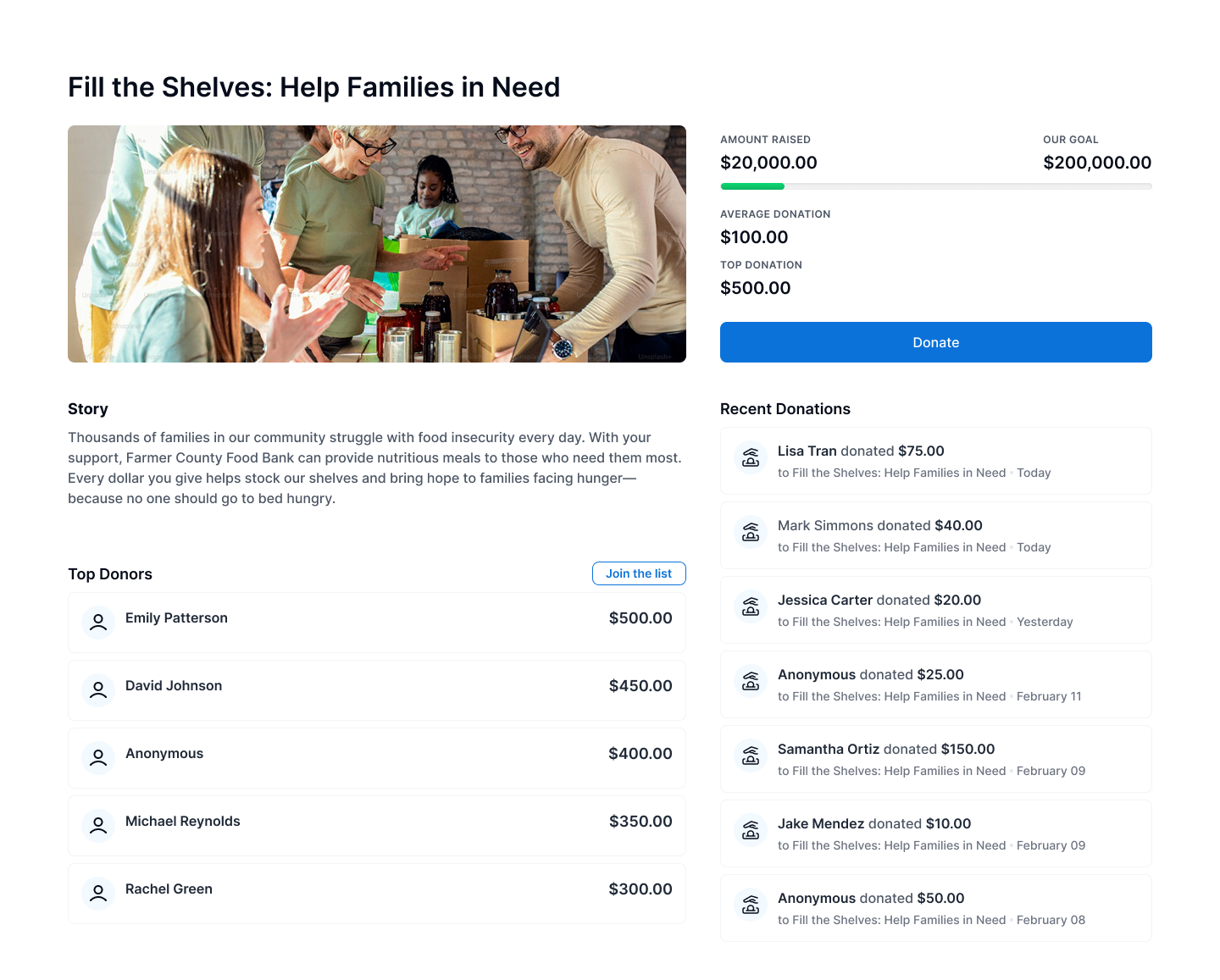
Campaign landing pages are enabled by default but are optional and can be disabled if you prefer (but we think you’ll love them).
Add Campaigns to Other Pages Using Blocks
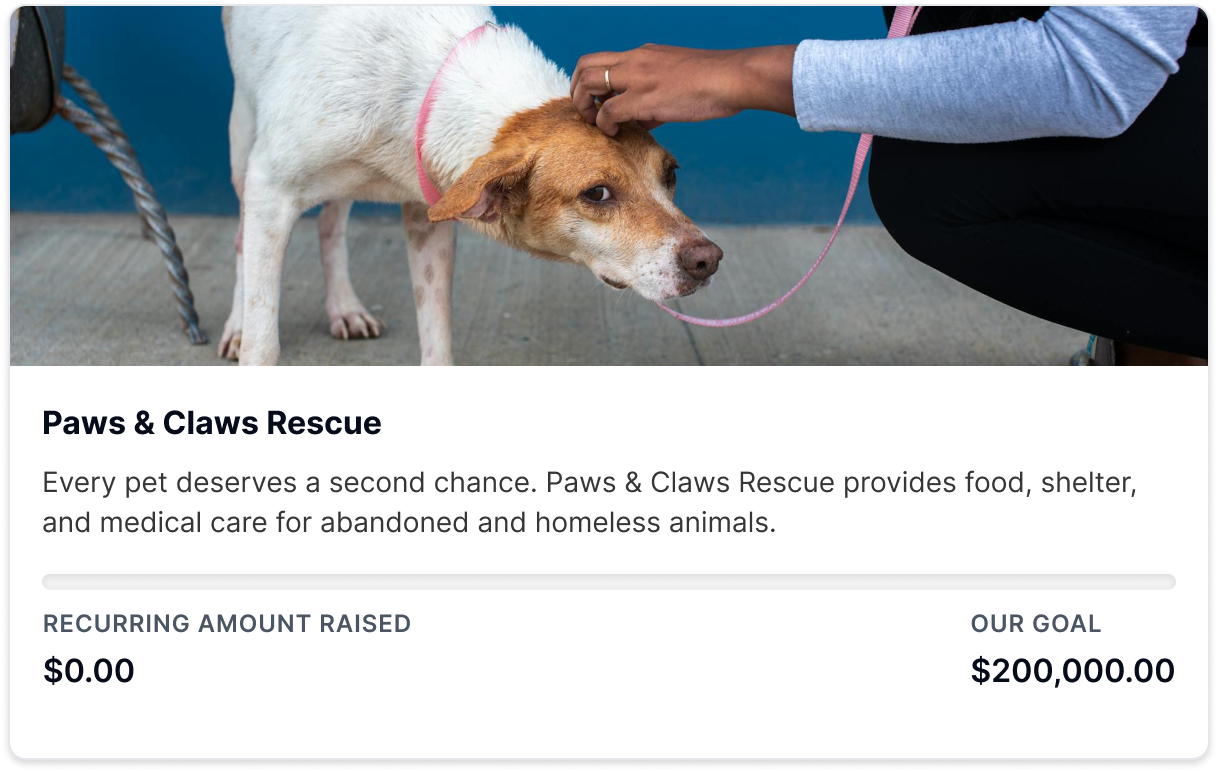
The new Campaign Block allows you to easily add campaigns to any page on your site. This allows you to display your campaign anywhere on your website, whether on a dedicated campaign page, home page, or blog post, ensuring maximum visibility for your initiatives.
Publish, Archive, or Draft Campaigns
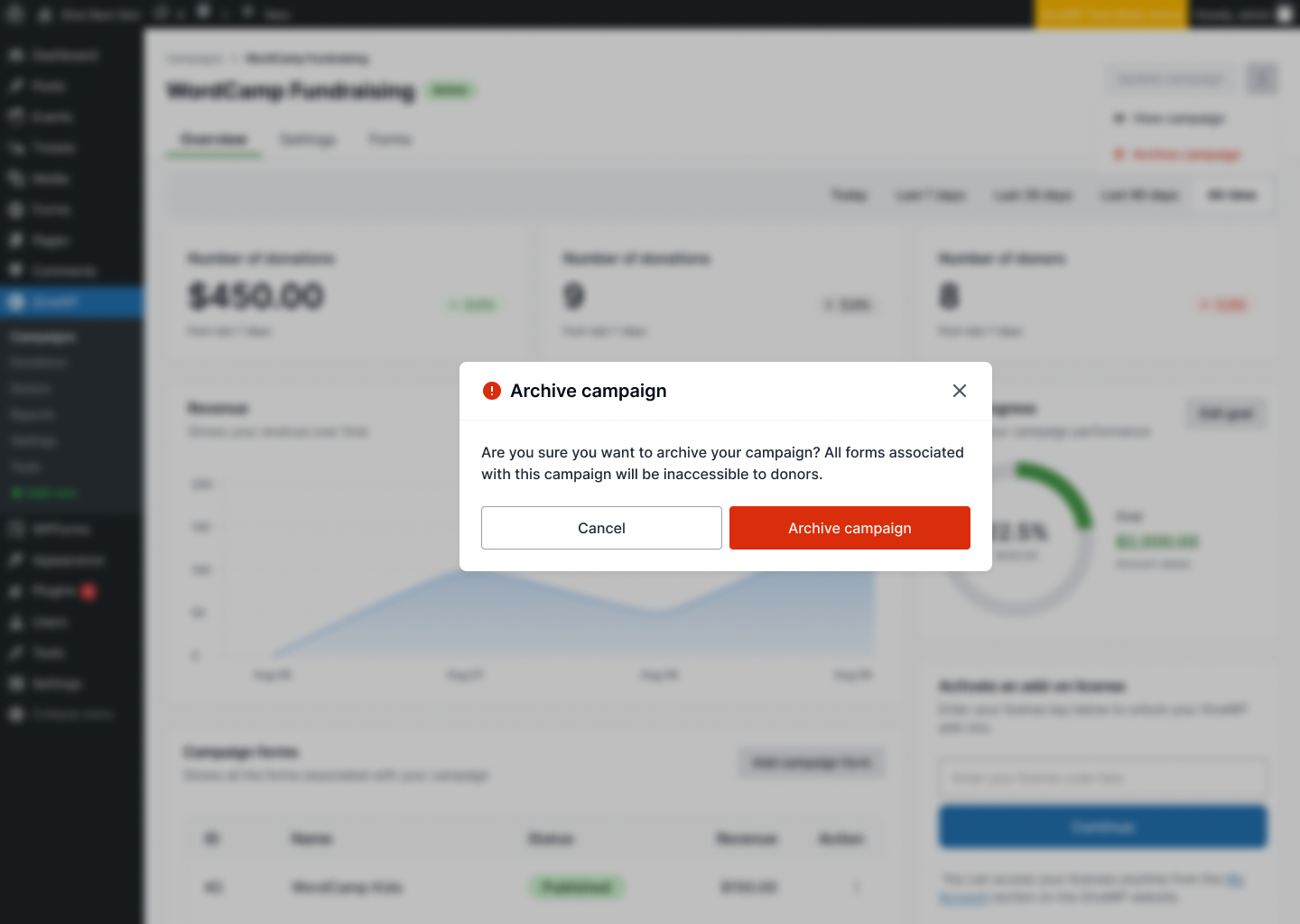
Each campaign has visibility controls that allow you to publish, archive, or draft. This will control whether the campaign’s forms and landing page are visible to the public or hidden.
- Publish: Makes your campaign and its donation forms live.
- Archive: Hides your campaign from view but keeps it in your dashboard.
- Draft: Allows you to work on your campaign without being visible to the public.
What’s Next?
While the initial MVP of Campaigns is live and ready for you, we’re just getting started! After this release, we’re focusing on enhancing the Campaigns experience with several exciting features that will make managing and optimizing your fundraising efforts even more powerful.
Here’s a sneak peek of what’s coming up this year:
Revamped Onboarding Experience
The onboarding process will be updated to familiarize new users with Campaigns from the start. This means you’ll quickly understand how to create, manage, and track your campaigns, making it easier than ever to get up and running.
Start and End Logic for Campaigns
We’ll introduce automation to help control your campaigns’ live pages and donation acceptance. With start and end dates for each campaign, you can set up campaigns to automatically go live and end, taking the manual work out of keeping them current.
Advanced Campaign Reports
We’re enhancing your ability to track campaign performance with advanced reporting. You’ll have deeper insights into revenue, form performance, and payment gateways, enabling you to make more informed decisions about your fundraising strategy.
Ready to Get Started?
If you’re already using GiveWP, it’s time to update your plugin to the latest version to access all the exciting new Campaigns features! If you’re new to GiveWP or have not purchased a plan, now’s the perfect time to start with our powerful fundraising tools. Whether you want to raise money for a nonprofit, cause, or personal initiative, GiveWP can help you achieve your goals.
If you’re already a GiveWP customer, you just need to update your plugin to take advantage of the new Campaigns experience. Choose a plan that fits your goals, or schedule a demo to see how GiveWP can transform your fundraising experience. Our team is here to walk you through the features and help you get set up for success. Don’t miss out on the powerful tools available to make a bigger impact.
Amplify your fundraising with a GiveWP Plan
About the Author
Camber Clemence
Camber is a Senior Product Marketing Manager for GiveWP. In her role, she focuses on positioning GiveWP’s products to meet the evolving needs of nonprofit fundraisers. Outside of work, Camber runs her own charitable organization and volunteers with a homelessness coalition. She also enjoys long walks with her dog, kayaking, traveling, and taking trips ’round the world at Epcot.