26 Online Fundraising Ideas for 2026
Attract more donors with a fresh fundraising idea, easily built on your own WordPress website.

Raising money online isn’t just convenient — it’s critical. Whether you’re planning your next campaign or trying to reach new donors, the right fundraising ideas can help you grow your impact without growing your workload.
That’s why we put together 26 online fundraising ideas built for how people give today. Every one of these strategies works virtually — and many can be adapted for in-person or hybrid events. But at their core, they’re designed to help you reach donors wherever they are: on their phones, laptops, or social feeds.
This list isn’t about trends or gimmicks. It’s full of practical, creative, and proven ideas that fundraising professionals at small and mid-sized nonprofits can actually implement. You’ll find digital campaigns, community-powered giving, and donor engagement tactics — plus built-in ways to boost recurring giving, increase average gift size, and expand your reach using Give.
1. Teach a course for a donation

Online learning is more popular than ever — and it’s a great way to turn your team’s talents into a fundraising opportunity. This fundraising idea lets donors learn something new while supporting your cause.
Set up an online course using Zoom, YouTube, or another video platform. Ask supporters to register by donating through your Give form. You can host the event live, pre-record it, or offer both: record the session and send it to latecomers who donate after the event.
This approach gives donors flexibility, adds long-term value to your content, and works well for classes like yoga, cooking, painting, or anything your team or volunteers can teach.
How to set it up with Give:
- After the event, follow up with photos, screenshots, or clips to thank donors and build momentum for your next campaign.
- Choose a topic your donors will enjoy, like yoga, cooking, or painting. Look to your board members, staff, or volunteers for built-in expertise.
- Decide how the course will run: live on Zoom or YouTube, pre-recorded, or a mix of both.
- Set a date, timeline, and donation amount that covers your costs and supports your mission.
- Create a Give donation form with a fixed registration amount. Allow custom amounts so supporters can give more if they want.
- Add a strong featured image that clearly shows what participants will learn.
- Include all class details and access links in the donation receipt email so registrants know exactly how to attend.
- Promote the course with a short email series and scheduled social posts.
Want to offer a full online course experience? Integrate Give with LearnDash to create structured, donor-only learning content with lessons, quizzes, and progress tracking.
2. Launch a digital scavenger hunt

Looking for a fundraising idea that’s fun, family-friendly, and fully virtual? Try a digital scavenger hunt. It’s an interactive way to raise money while keeping supporters engaged online.
Create a list of tasks, clues, or challenges for participants to complete — either from home, around their neighborhood, or across your website and social channels. You can keep it simple with a downloadable checklist or go bigger with photo submissions, videos, or hidden content on your site.
Have participants register by donating through a Give form. Offer bonus entries or extra clues for higher donation amounts. Use your donation receipts to deliver the scavenger hunt instructions or link to a private page with everything they need to play.
How to set it up with Give:
- Decide whether the hunt will be based on location, images, trivia, videos, or social posts — or a combination of formats.
- Build out your challenge list, then organize and test your clues.
- Create a Give form for registration and set a minimum donation.
- Add your scavenger hunt instructions and download link to the receipt email.
- Promote it with email marketing, social media, and even video teasers to build excitement.
- Wrap up the event by celebrating the winners in a follow-up email or post.
Make it more team-based. Use Peer-to-Peer Fundraising to let supporters join as individuals or teams, track progress, and compete to raise the most for your cause.
3. Host an evening with an expert

Give your donors access to something they can’t get anywhere else: a live, online event with someone worth listening to. Whether it’s a local author, chef, artist, or expert in your field, this is one of the best fundraising ideas for combining education, entertainment, and connection.
You’ll raise money through event registration — and build trust by offering something valuable in return. Keep it virtual, and you’ll lower costs and increase accessibility for donors across the country or around the world.
How to set it up with Give:
- Reach out to a guest speaker with a personal or professional connection to your cause.
- Decide whether your event will be a lecture, workshop, demo, or Q&A.
- Choose a date, time, and delivery method — like Zoom, Crowdcast, or YouTube Live.
- Create a Give form with a set donation to register. Add a featured image to showcase the event.
- Include event access details in the receipt email.
- Promote the event across your email list and social channels.
- After the event, follow up with a thank-you message and a recording link for those who couldn’t attend live.
Want to take it further? Combine this idea with Recurring Donations and offer exclusive access to donor-only events every quarter.
4. Raffle off prizes or host a virtual auction

Everyone loves the chance to win something — especially when it supports a good cause. A virtual raffle or online auction is one of the most effective online fundraising ideas because it combines urgency, excitement, and donor generosity.
You can raffle off a single high-value item or run a full auction with donated goods and experiences. Let supporters donate for entries or bids, and keep everything online to reach more people and reduce overhead.
How to set it up with Give:
- Use Give to create a donation form for each raffle or auction item — or one form with custom amounts tied to different entry levels.
- Collect donated prizes from local businesses, partners, or your community.
- Display all items on one page using Form Grid blocks with images, descriptions, and value highlights.
- Add raffle instructions or bidding rules directly to the form and include them in the donation receipt email.
- Promote the event via email and social, using countdown timers or progress bars to build urgency.
- Once it ends, use your donor list to select winners and follow up with a public thank-you announcement.
Pro tip: Add countdowns or goal bars to increase urgency and drive more donations before the event ends.
5. Ask for a year of giving in exchange for a digital gift

Recurring donations are one of the most powerful online fundraising ideas — and offering a small gift in return can help more donors say “yes.” Try giving away a downloadable thank-you gift (like an e-book, digital art, or printable) when someone commits to monthly giving.
It’s a low-cost way to increase donor retention and reward supporters who stick with you all year.
How to set it up with Give:
- Prepare your digital gift in advance. This could be a downloadable PDF (like a printable, report, or e-book), image, audio file, or video.
- Create a thumbnail image for the gift to make the download link more visual and appealing.
- Upload both the file and the image to your WordPress Media Library. If the file is large, you may need to upload it via FTP.
- Create a new page on your WordPress site where donors can access and download the file. Add the thumbnail as a clickable image linked to the download.
- On your Give donation form, enable Recurring Donations and highlight the gift as a benefit for monthly donors.
- Add the download page URL to the donation receipt email so donors receive access automatically after they give.
- Promote the offer in your email campaign and social posts. Highlight the impact of monthly giving and the value of the gift.
Keep it going all year long. Try offering a different gift each quarter to keep your recurring giving campaign fresh.
6. Crowdsource a creative project

Want to turn your donors into collaborators? Invite them to help you create something meaningful — like a recipe book, digital calendar, photo zine, or community art collection. It’s one of the most personal and creative online fundraising ideas, and it gives supporters a sense of ownership in your mission.
Donors contribute by submitting content (photos, recipes, artwork, etc.) along with their donation. Once complete, you can compile the submissions into a downloadable file or physical product to send out as a thank-you or offer for future fundraising.
How to set it up with Give:
- Choose a theme that aligns with your mission — for example, recipes from your community, art from your youth program, or nature photos from supporters.
- Use the Form Field Manager add-on to create custom fields for donor submissions (e.g., file uploads, titles, captions).
- In your form description, explain the project, what kind of content you’re collecting, and how submissions will be used.
- Include an image or mockup of the final product to help donors visualize the outcome.
- Set up your donation form with a fixed or suggested amount to submit.
- After collecting entries, compile them into a shareable format (PDF, slideshow, or printed piece).
- Email all contributors with a thank-you and a copy of the finished piece — or offer it as a follow-up incentive for future donors.
Pro tip: This is a great option during slower giving seasons — and it doubles as user-generated content for future campaigns.
7. Pass on kindness with eCards
Giving in honor of someone else is a powerful motivator — and with eCards, your donors can instantly share that impact. Whether it’s a birthday, holiday, memorial, or just because, this fundraising idea helps donors express their values while spreading awareness for your cause.
Using Give’s Tributes add-on, you can let donors dedicate their gift and send a personalized eCard to their honoree — all within your donation form.
How to set it up with Give:
- Install and activate the Tributes add-on to enable “in honor of,” “in memory of,” or custom dedication types on your donation form.
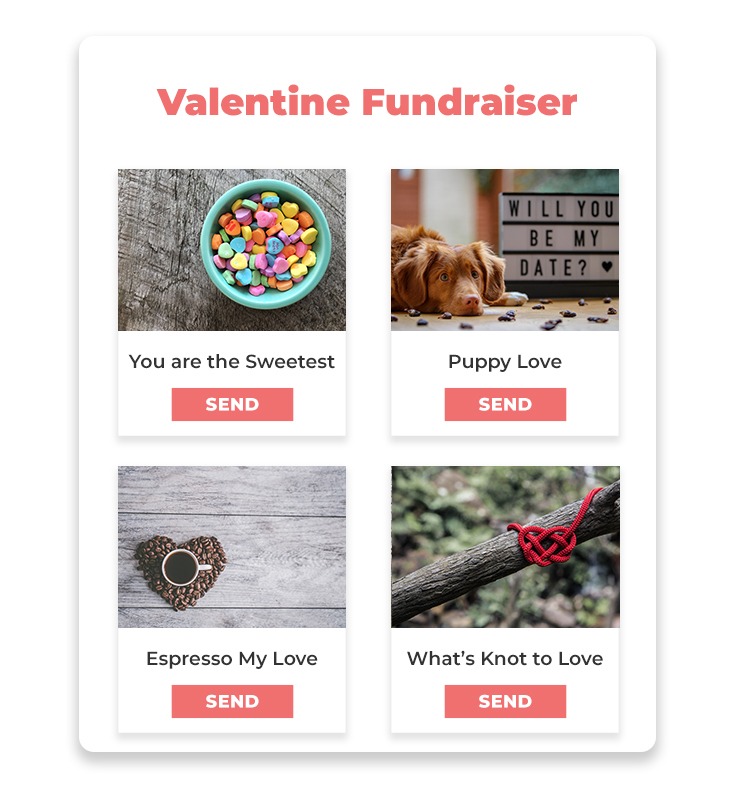
- Upload a selection of eCard designs donors can choose from: holidays, birthdays, thank-yous, or general messages.
- Customize your tribute field settings to collect honoree names, email addresses, and personalized messages.
- Set up your eCard templates with visuals and editable text areas. You can preview and test them before going live.
- In your form description, explain how the dedication works and include a preview of the eCard options.
- Promote this option around key calendar dates: Valentine’s Day, Mother’s/Father’s Day, Giving Tuesday, etc.
- After donation, Give automatically sends the eCard to the honoree — no extra steps needed.
Looking for an offline option, too? The Tributes add-on also supports printable, mailable tribute cards — perfect for major gifts or high-touch donors.

Like What You’re Reading? Subscribe Here!
Newsletter Opt-in
8. Add a donation to your swag store
Merchandise can raise awareness — but adding an optional donation at checkout turns your swag into a fundraising tool. Whether you sell t-shirts, mugs, stickers, or other branded gear, this is one of the simplest online fundraising ideas to increase average order value and supporter impact.
It’s also an easy win for supporters who want to give a little extra while grabbing something fun.
How to set it up with Give:
- Set up your online store using WooCommerce.
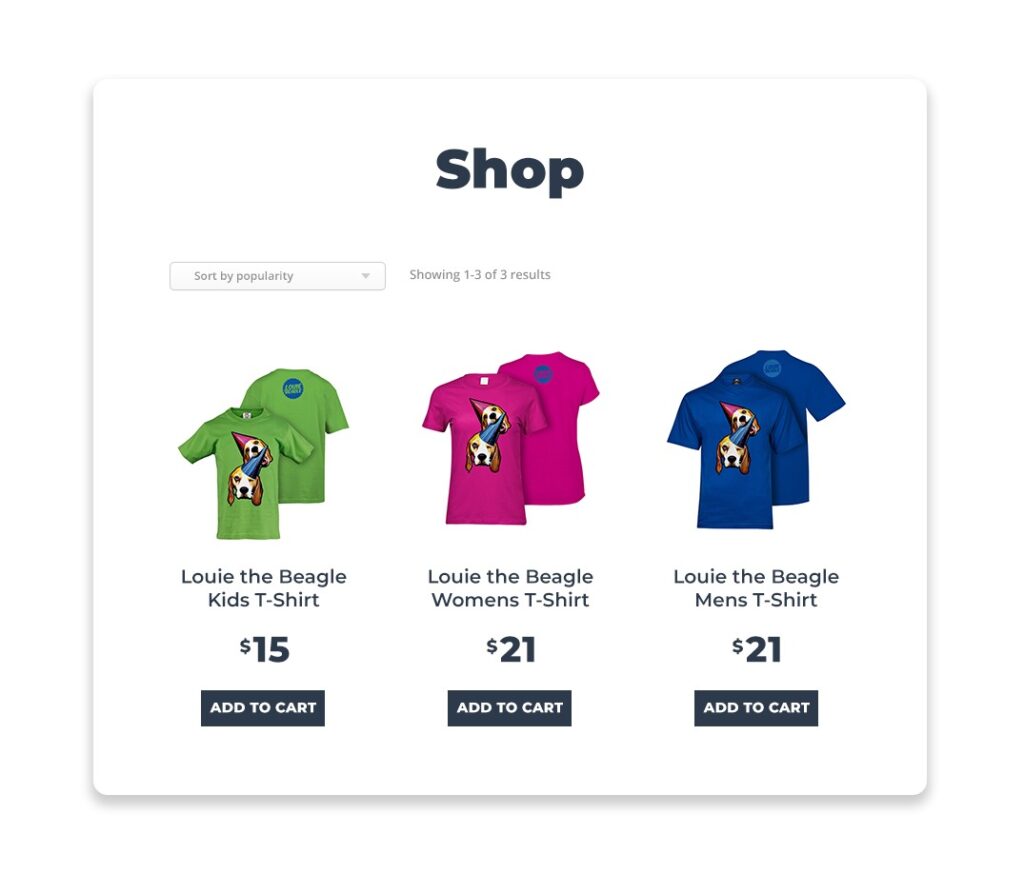
- Install Give’s Donation Upsells for WooCommerce add-on to let customers add a donation during checkout.
- Create a Give form and connect it to your WooCommerce store using the upsell settings.
- Customize your upsell language (e.g., “Add $5 to support our programs”) to align with your mission.
- Use product images and descriptions to reinforce how donations make an impact.
- Promote your shop and donation add-on through your email list, social media, and post-purchase follow-ups.
- Consider offering exclusive merch to donors who give a set amount — or recurring supporters.
Pro tip: This is especially effective around giving seasons or campaign launches — and it keeps your mission visible in the everyday lives of your supporters.
9. Ask for “why I give” videos from donors

Your supporters are your best storytellers. Invite them to share short videos explaining why they give — and turn those stories into content that inspires others to do the same. It’s a simple but powerful online fundraising idea that builds community and trust.
These videos are perfect for email campaigns, social media, or embedding on your donation pages.
How to set it up with Give:
- Use the Form Field Manager add-on to create a video submission form. Ask for the donor’s name, email, short message, and a link to their uploaded video (from YouTube, Google Drive, etc.).
- On the form, clearly explain what kind of story you’re looking for and how the videos will be used.
- Offer an incentive for submissions — such as a chance to win a free t-shirt, shoutout, or donor feature.
- Include instructions in the donation receipt or a follow-up email if you want to gather submissions after they give.
- Collect and organize your videos. Get permission to use each one in your marketing materials.
- Feature selected videos in your newsletter, social media, or on your campaign landing pages.
Want to take it further? Create a dedicated campaign around donor stories and showcase them as your end-of-year appeal centerpiece.
10. Hold a sailboat race on your website
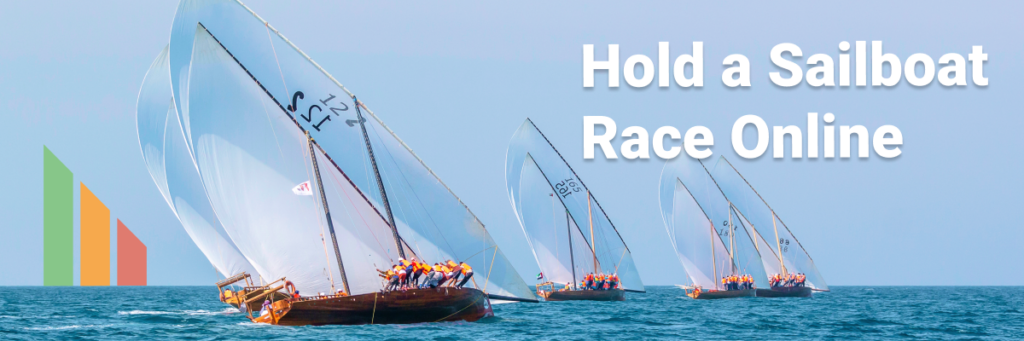
Turn fundraising into a friendly competition with a virtual sailboat race. Each “boat” represents a different team, department, class, or individual fundraiser — and every donation pushes them closer to the finish line. It’s visual, exciting, and one of the more engaging online fundraising ideas for group participation.
You don’t need nautical skills — just a good story and a fun visual metaphor.
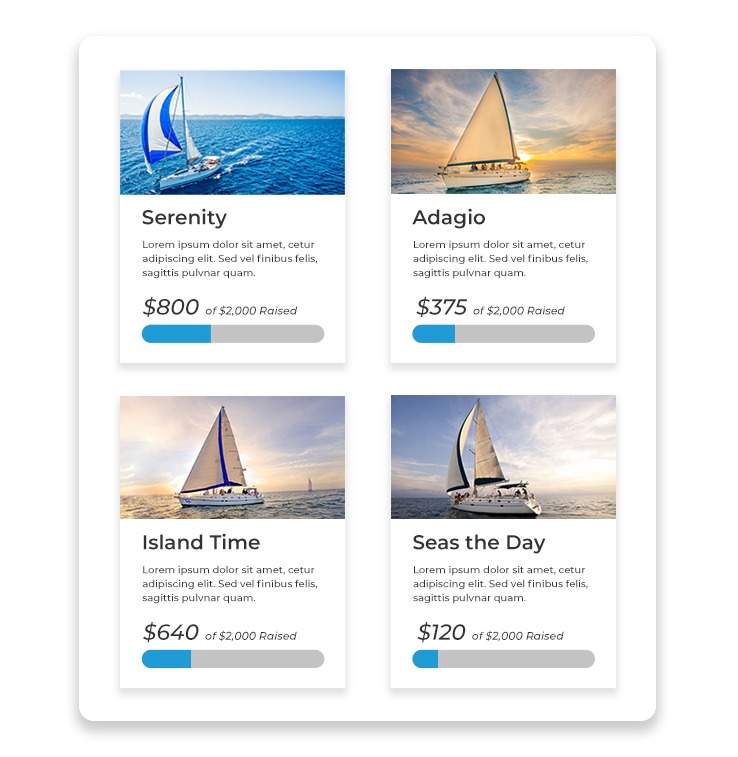
The race takes place through progress goal bars displayed through a form grid. The competition adds a sense of urgency, giving donors even more reason to give.
How to set it up with Give:
- Create a Peer-to-Peer campaign using the Peer-to-Peer Fundraising add-on. Let individuals or teams create their own fundraising pages (aka “boats”).
- Set donation goals for each team. As supporters give, each team’s total will visually “move” their boat forward on the leaderboard.
- Use boat graphics or progress bars on your campaign page to make the race come alive.
- Encourage competition with prizes, shoutouts, or matching gifts for the first team to hit their goal.
- Add updates to your campaign page and share progress via email and social media to keep the momentum going.
- Wrap up with a final results announcement and a big thank-you to all participants and donors.
Pro tip: This works great for schools, clubs, or community orgs — and it’s easy to adapt into other themes, like car races, rocket launches, or climbing mountains.
11. Organize a community-wide (virtual) dance party

Sometimes, the best fundraising ideas are the ones that get people moving. A virtual dance party is fun, inclusive, and full of energy — perfect for families, schools, or anyone looking for a reason to celebrate. Donors register to join and receive access to a livestreamed DJ set, dance challenge, or themed event.
This idea combines fitness, community, and fundraising — all from the comfort of home.
How to set it up with Give:
- Choose a date, time, and theme for your dance party (e.g., 80s night, family dance-off, silent disco).
- Partner with a local DJ or performer who’s willing to host or stream the event.
- Create a Give donation form with a fixed registration fee or suggested donation.
- Add event access details (Zoom, YouTube Live, etc.) to the donation receipt email.
- Use a featured image or short promo video on the form to build excitement.
- Encourage participants to share photos or videos using a branded hashtag.
- Follow up with a recap video or highlight reel to thank donors and keep them engaged for your next event.
Upgrade your playlist (and your donations): Offer special shoutouts or song requests during the livestream for donors who give above a certain amount.
12. Build the future (online)

Invite donors to help fund your next big initiative — whether it’s a building project, scholarship fund, or community program — by giving them a visual way to track progress. Think “buy a brick”, but virtual.
Each donation can represent a specific item or milestone: a square foot, a desk, a scholarship, or a day of programming. As donations come in, you show progress toward the goal — building the future together, one gift at a time.
How to set it up with Give:
- Create a donation form with tiered giving levels tied to tangible outcomes (e.g., $25 = one brick, $100 = one week of services).
- Use custom content or images on the form to visually represent progress — like a blueprint filling in or a wall being built.
- Include impact descriptions at each level so donors know what their gift supports.
- Add a goal bar to the form and update your audience regularly via email or social posts.
- Offer name recognition or digital certificates for milestone gifts.
- Follow up with photos or results as the project develops to keep donors engaged.
Pro tip: This can be a smart fit for capital campaigns, education programs, or any long-term initiative that benefits from steady progress and donor investment.
13. Fast for a cause (give a pizza)

Some donors don’t just want to give — they want to give something up. Invite supporters to skip a meal and donate the cost instead. It’s a simple, relatable fundraising idea that works well for monthly giving campaigns or days of action.
Whether it’s skipping a coffee, a lunch, or a pizza night, this approach makes giving feel personal and intentional.
How to set it up with Give:
- Create a donation form themed around giving up a small luxury — like pizza, coffee, or takeout.
- Use preset donation amounts ($5, $10, $20) with labels like “one latte,” “one lunch,” or “one pizza.”
- Enable the Recurring Donations add-on to invite donors to “give up one meal a month” long term.
- Include a short explanation on the form about how small sacrifices can create big impact.
- Share visuals that show what each donation amount provides — e.g., “$10 = one week of clean water.”
- Promote this campaign around Lent, Ramadan, or during your own organization’s giving challenge week.
Pro tip: This idea is highly adaptable and works especially well with younger or values-driven donors who love a challenge.
14. Have a virtual snowball or balloon fight

Bring some playful energy to your next campaign by turning donations into snowballs, water balloons, or confetti tosses. Each gift “throws” something fun at a friend — and sends a personalized message with it.
This fundraising idea turns peer-to-peer giving into a game, making it a great option for schools, clubs, or any community that loves a little friendly mischief.
How to set it up with Give:
- Use the Tributes add-on to let donors dedicate their gift to a friend and include a message — like “You’ve been hit with a snowball!”
- Set up Peer-to-Peer Fundraising so supporters can create their own fundraising pages and “throw” snowballs or balloons as donations roll in.
- Create themed eCards or custom dedication options (e.g., “balloon,” “snowball,” “confetti bomb”) that donors choose when they give.
- Encourage participants to tag their honorees on social media to keep the game going.
- Add a real-time leaderboard or map to show how far the snowballs have traveled.
- Offer badges or prizes for the most “throws” received or sent.
Capitalize on seasons. This works best during seasonal moments like winter holidays (snowball), summer camp fundraisers (water balloon), or end-of-year parties (confetti).
15. Host a (virtual) food festival

Food brings people together — even online. A virtual food festival is one of the tastiest online fundraising ideas, offering donors a chance to learn new recipes, watch live cooking demos, or celebrate culinary traditions from your community.
It works great as a one-day event or a week-long series with featured chefs, home cooks, or restaurant partners.
How to set it up with Give:
- Recruit chefs, home cooks, or culinary partners to lead a cooking demo or share a signature recipe.
- Use Give to create a registration form for each class or segment, or build a landing page showcasing the full schedule.
- Use the Form Grid block to display all sessions in one place.
- Enable the Form Field Manager add-on to let donors choose which classes they want to attend or submit questions in advance.
- Include event access links in the donation receipt, and add downloadable recipe cards or bonus content.
- Promote the festival with teaser videos, chef bios, and behind-the-scenes clips.
- Encourage supporters to share what they made using a branded hashtag.
Pro tip: You can also use this format to highlight cultural cuisines, spotlight local restaurants, or pair with a cookbook fundraiser.
16. Create an online lemonade stand

Put a digital spin on a classic fundraiser. Invite your supporters — especially families and kids — to set up virtual lemonade stands and collect donations from friends and family. It’s simple, nostalgic, and one of the most accessible online fundraising ideas for younger audiences.
Every supporter becomes a mini-ambassador for your cause.
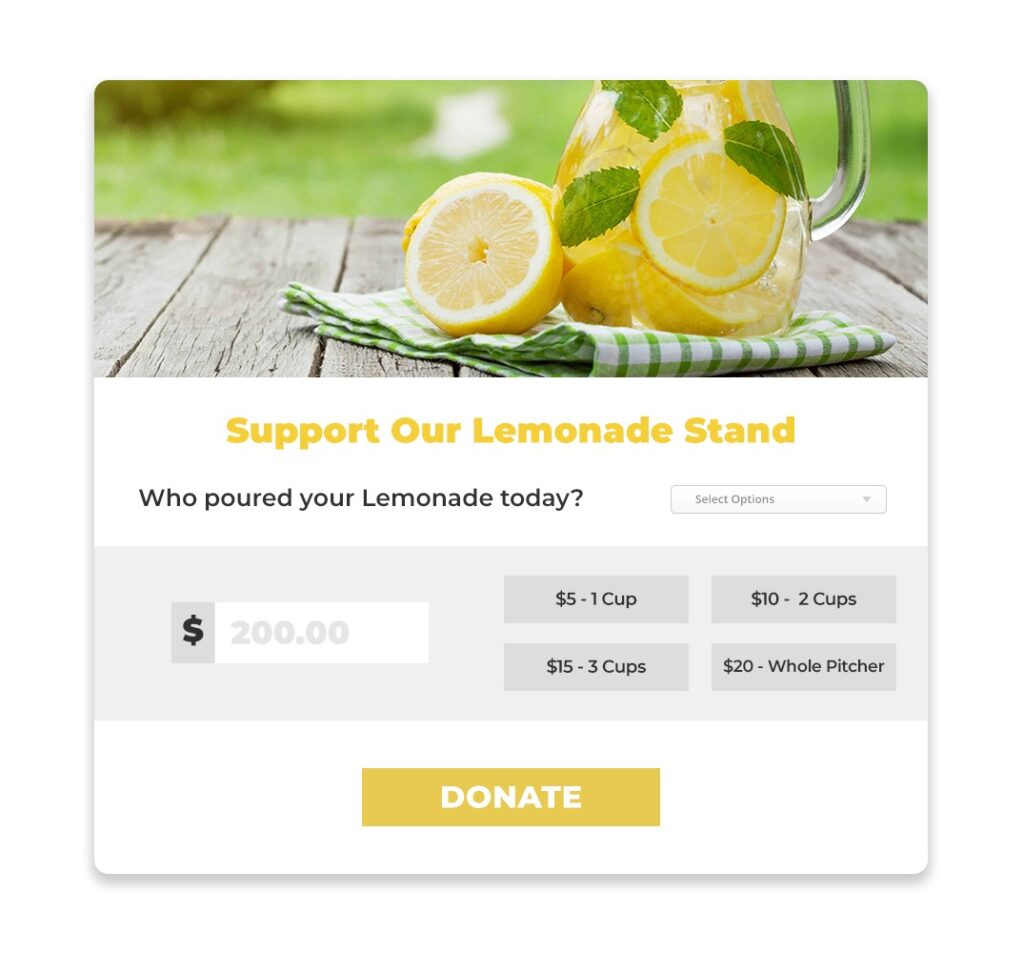
How to set it up with Give:
- Form a team of people to be your lemonade salespeople.
- Use the Peer-to-Peer Fundraising add-on to let supporters create their own donation pages.
- Customize the campaign theme with fun lemonade graphics, messaging, and goal bars.
- Encourage supporters to personalize their page with photos, reasons for supporting your cause, or a lemonade recipe.
- Use multi-level donations for your “sales” (like $5 for one cup, $10 for two cups, or $50 for a whole pitcher).
- Add a drop-down or form field like “Who poured your lemonade today?” to track team or family participation.
- Provide a short toolkit or email series to help participants promote their stand through social media, email, or neighborhood flyers. Use fun taglines like “When life gives you lemons…” to build momentum.
- At the end, total up the “sales” attributed to each participant and reward the top fundraiser with a prize.
- Follow up with a thank-you email and photos of the impact their “lemonade money” helped create.
Perfect for even your youngest supporters: This is an easy, family-friendly way to get supporters of all ages involved while spreading awareness with a personal touch.
17. Compete with another organization
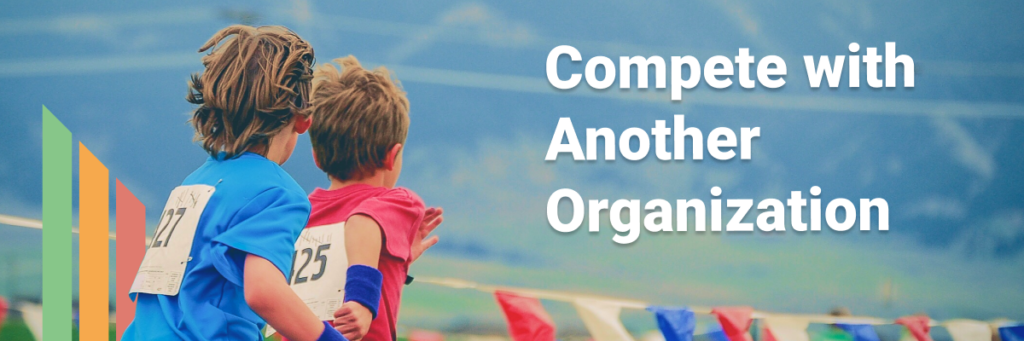
Friendly competition can be a powerful motivator — especially when it’s for a good cause. Partner with another nonprofit, club, or school to see who can raise the most money in a set time. The result? More visibility, expanded reach, and double the donor engagement.
This is one of the best online fundraising ideas for energizing your community and tapping into your supporters’ team spirit.
How to set it up with Give:
- Connect with a like-minded organization to co-host the challenge. Choose a clear time frame and define the “win” — highest amount raised, most donors, or fastest to goal.
- Use Give’s Peer-to-Peer Fundraising add-on to create two main fundraising pages: one for your organization and one for your competitor.
- Add progress bars or goal meters to each page so supporters can see the race in real time.
- Include custom branding or messages on each form to reflect the two teams.
- Promote the competition through email and social — build excitement with countdowns, live updates, and friendly jabs.
- Offer a prize (or just bragging rights) to the winning side.
- After the event, share final totals and thank both communities with a celebratory message or short video.
Pro tip: This is perfect for energizing schools, sports teams, or seasonal drives where a fun community rivalry fuels generosity.
18. Partner with a business for a matching fund campaign

Matching gifts are a proven way to increase donations — and when a local business offers to double contributions, donors are more likely to give (and give more). It’s one of the most effective online fundraising ideas for amplifying impact while building community partnerships.
How to set it up with Give:
- Reach out to a local business, foundation, or major donor to sponsor a match campaign — for example, “Every gift up to $5,000 will be doubled!”
- Create a Give donation form specifically for the match drive.
- Highlight the match in your form title, description, and featured image.
- Use a goal bar or progress indicator to track how much has been matched so far.
- Include sponsor branding and a thank-you message in the donation receipt.
- Promote the campaign across email and social, emphasizing urgency (“Only 3 days left to double your gift!”).
- After the match ends, announce the total raised and thank the sponsor publicly via email and social posts.
Pro tip: You can also create multiple match periods throughout the year with different sponsors — especially around Giving Tuesday or year-end campaigns.
19. Host a design or photo contest

Turn creativity into a campaign. A design or photo contest invites supporters to participate and give at the same time — by submitting their own work and/or voting with donations. It’s one of the most engaging online fundraising ideas for building community and showcasing supporter talent.
How to set it up with Give:
- Choose a contest theme that ties to your mission (e.g., “What hope looks like,” “The heart of our community,” etc.).
- Use the Peer-to-Peer Fundraising add-on to let participants create their own fundraising pages for submissions.
- Include image upload fields and titles using Form Field Manager.
- Set a deadline for submissions and another for the voting period.
- Let the public “vote” by donating to their favorite submission. The page with the most donations wins.
- Offer a prize — such as merch, event tickets, or a feature on your website or newsletter.
- Promote submissions daily during the contest to keep engagement high.
- After the contest, share a gallery of entries and celebrate the winners publicly.
Keep it social: This campaign is ideal for social platforms like Instagram or Facebook, and pairs well with seasonal campaigns or youth engagement.
20. Deliver dessert

Who wouldn’t love a sweet treat for a good cause? This deliciously effective fundraising idea lets donors order baked goods, snacks, or sweets with their donation — either delivered to their door or picked up locally.
It’s personal, memorable, and easy to theme for holidays, birthdays, or community events.
How to set it up with Give:
- Partner with a local bakery, caterer, or talented volunteer who can fulfill orders.
- Use Form Field Manager to create a donation form with order options: dessert type, quantity, delivery or pickup preference, and address.
- Offer fixed donation amounts tied to dessert bundles (e.g., $10 = cookie box, $25 = cake sampler).
- Use your receipt email to confirm the order and include pickup/delivery instructions.
- Promote the offer with drool-worthy photos on social and email. Highlight limited quantities to create urgency.
- Track orders and deliveries in your donor dashboard or export responses for fulfillment.
- Follow up with thank-you messages and photos showing the impact of every sweet sale.
Pro tip: This idea works especially well for Valentine’s Day, Thanksgiving, or “treat yourself” themed campaigns.
21. Provide porch-traits
Offer supporters a unique, socially distanced photo session — taken right on their front porch. “Porch-traits” are a creative way to raise funds while giving donors a keepsake they’ll actually use and share.
It’s perfect for photographers looking to donate their skills or for family-friendly campaigns tied to holidays or milestones.
How to set it up with Give:
- Partner with a local photographer (or a few) who can volunteer or offer discounted mini-sessions.
- Create a Give form for booking, using Form Field Manager to collect key info: name, address, contact info, and preferred date/time.
- Set fixed donation levels for different session lengths or package types.
- Add a featured image showing example porch-traits to help donors understand the offer.
- Include booking confirmation and next steps in the donation receipt.
- Use a scheduling tool or follow up manually to finalize appointments.
- After the shoot, deliver digital files and send a thank-you note with a reminder of the impact their donation made.
Pro tip: You can easily tailor this for seasonal moments like holiday card portraits or back-to-school photo ops.
22. Allow supporters to dedicate their birthdays

Let donors turn their birthdays into a celebration of your mission. With a birthday fundraiser, supporters ask friends and family to give in lieu of gifts — and you keep full access to donor data and engagement.
It’s a low-lift, high-impact online fundraising idea that builds community and broadens your reach.
How to set it up with Give:
- Use Peer-to-Peer Fundraising to let supporters create their own birthday fundraising pages.
- Customize the campaign theme with celebratory visuals and pre-filled birthday messaging.
- Include prompts on the form for supporters to add their photo, birthday wish, and why they chose your cause.
- Promote the option in your newsletter or with a “Dedicate Your Birthday” landing page.
- Use donor data or email tools to send automated reminders one month before each supporter’s birthday.
- Encourage fundraisers to set a goal (e.g., $250 for 25 years) and share their page with friends and family.
- After the birthday, send a personal thank-you and highlight top fundraisers on your social channels.
Pro tip: Birthday fundraisers are great for long-term donor acquisition — and easy to expand into anniversaries or “giving milestones.”
23. Set up a text-to-give campaign

Text-to-give makes it easy for donors to give on the go — especially during events, live streams, or social media campaigns. With just a keyword and a phone, supporters can make a secure donation in seconds.
It’s one of the most mobile-friendly online fundraising ideas and a great way to reach busy or spontaneous givers. According to Nonprofits Source:
- 90% of text message reminders are read in 3 minutes
- $107 is the average text-to-give donation
- 51% of people who visit a nonprofit’s site do so on a mobile device
- 25% of donors complete their donations on mobile devices
How to set it up with Give:
- Activate the Text-to-Give add-on and connect it to your Give account.
- Choose a simple keyword (like GIVE or HOPE) and link it to your campaign.
- Promote your keyword and shortcode (e.g., “Text GIVE to 44321”) everywhere — during livestreams, in-person events, social media, and printed materials.
- Pair it with a compelling ask and a specific goal (e.g., “Help us raise $5,000 by midnight!”).
- Enable recurring donations to let supporters give monthly with one tap.
- Track performance in your donor dashboard to see how mobile giving compares.
- Follow up with all text donors using your receipt email to share next steps, thank-yous, and deeper engagement options.
Reach more donors where they are — their phones. Text-to-Give has become an important way to supplement fundraising efforts. You can also use it for urgent appeals or hybrid events where attention spans are short.
24. Host a golf tournament

Golf tournaments remain a classic fundraising event — and with Give, you can simplify registration, gather team info, and track donations all in one place. Whether it’s a casual local scramble or a major annual fundraiser, this is a great hybrid fundraising idea that combines in-person fun with online tools.
How to set it up with Give:
- Choose your venue and tournament format (e.g., best ball, captain’s choice, individual play).
- Create a Give donation form for registration. Use Form Field Manager to collect player names, team info, shirt sizes, and meal preferences.
- Offer preset donation levels for individuals, teams, or sponsorship tiers.
- Add a featured image, sponsor logos, and key event details to the form.
- Include confirmation and tournament logistics in the receipt email.
- Promote the tournament via email and social, with early bird pricing or VIP perks.
- On event day, use QR codes or tablet stations to accept additional donations, mulligans, or raffle entries.
- Afterward, thank participants and sponsors with a recap email, leaderboard, and photo gallery.
Do more with one fundraiser: This format is easily adapted for other sports events like pickleball, bowling, or mini-golf.
25. Request a song with a gift

Who doesn’t like to hear their song at an event or on the radio?
Turn your next livestream, gala, or virtual event into an interactive experience. Let donors “buy” a song request — the higher the donation, the sooner their track gets played. It’s fun, flexible, and keeps the energy high while raising money in real time.
How to set it up with Give:
- Use Form Field Manager to create a donation form with a field for song requests.
- Add preset donation levels (e.g., $10 = standard request, $25 = priority play) or let donors choose their amount.
- Customize the form description to explain how the requests work — and encourage fun dedications (“This one’s for my mom!”).
- Include stream access info in the receipt email.
- Let the DJ build a playlist in advance or choose songs live as requests roll in.
- Display requests on-screen during the event or announce them between songs.
- Thank donors in real time and follow up after the event with a playlist recap and impact update.
Pro tip: You can also apply this fundraiser to karaoke nights, talent shows, or office lip-sync battles — anything that keeps donors entertained and engaged.
26. Let donors sponsor a meaningful act of service
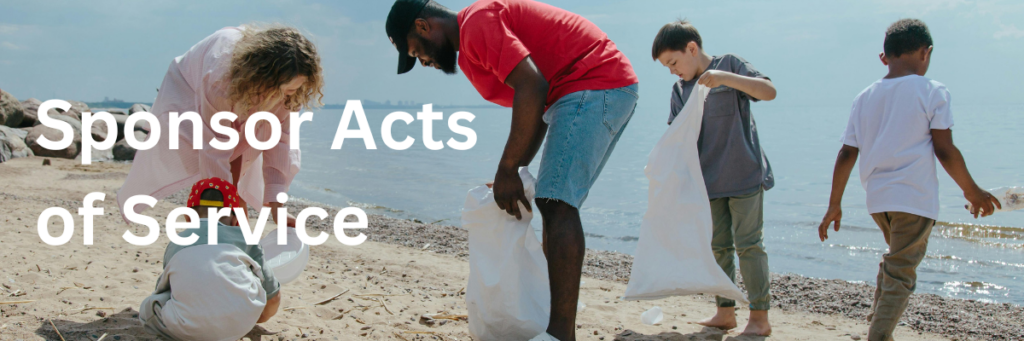
Invite your donors to fund something tangible — like a community clean-up, animal shelter playtime, or a creative challenge like a craft-a-thon. Instead of just giving, donors get to “sponsor” an act that aligns with your mission, making the impact feel personal and real.
This is one of the most flexible online fundraising ideas — with in-person heart and online execution.
How to set it up with Give:
- Choose a few activities supporters can sponsor — like reading to shelter animals, trash pickups, knitting for a cause, or community murals.
- Use a Give donation form with multi-level donations tied to each act of service (e.g., $25 = one hour of cleanup, $50 = two visits to the shelter).
- Add strong visuals and brief descriptions to show donors exactly what their gift makes possible.
- Highlight the opportunity as a unique gift alternative (“Sponsor a play session instead of buying a gift”).
- Customize the donation receipt with a message like “Thanks to your support, a volunteer will spend an hour reading to cats this Saturday!”
- Follow up with photos, videos, or updates that show the sponsored acts in action.
- Consider pairing this with Peer-to-Peer Fundraising if volunteers want to fundraise for the number of hours or projects they complete (e.g., a knit-a-thon or art challenge).
Keep it timely and emotional: This approach works especially well during holidays, volunteer months, or themed giving weeks — and gives donors a direct emotional connection to the outcome.
What’s your favorite fundraiser idea?
Every nonprofit is different — and the best fundraising ideas are the ones that align with your mission, your donors, and your capacity to deliver. Whether you’re teaching a class, hosting a digital dance party, or letting donors sponsor real acts of service, the key is to make giving easy, personal, and rewarding.
Give helps you do exactly that. From peer-to-peer fundraising and text-to-give to recurring donations and custom donation forms, Give provides everything you need to launch, track, and grow your fundraising efforts — right on your WordPress site.
Ready to bring one of these fundraising ideas to life? Get Give’s Plus Plan.
Amplify your fundraising with a GiveWP Plan
About the Author
Michelle Frechette
Once called “The busiest woman in WordPress” by Matt Mullenweg at WCUS 2022, Michelle Frechette is the Executive Director of PostStatus.com and the Program Director for WP Includes (wpincludes.me). In addition to her work at Post Status, Michelle is the Podcast Barista at WPCoffeeTalk, cofounder of Underrepresented in Tech, creator of WPSpeakers, creator of WPCareerPages, co-founder of SponsorMeWP.com, co-founder of SpeedNetworkOnline.com, author, and a frequent organizer and speaker at WordPress events. You can learn more about Michelle at meetmichelle.online.